
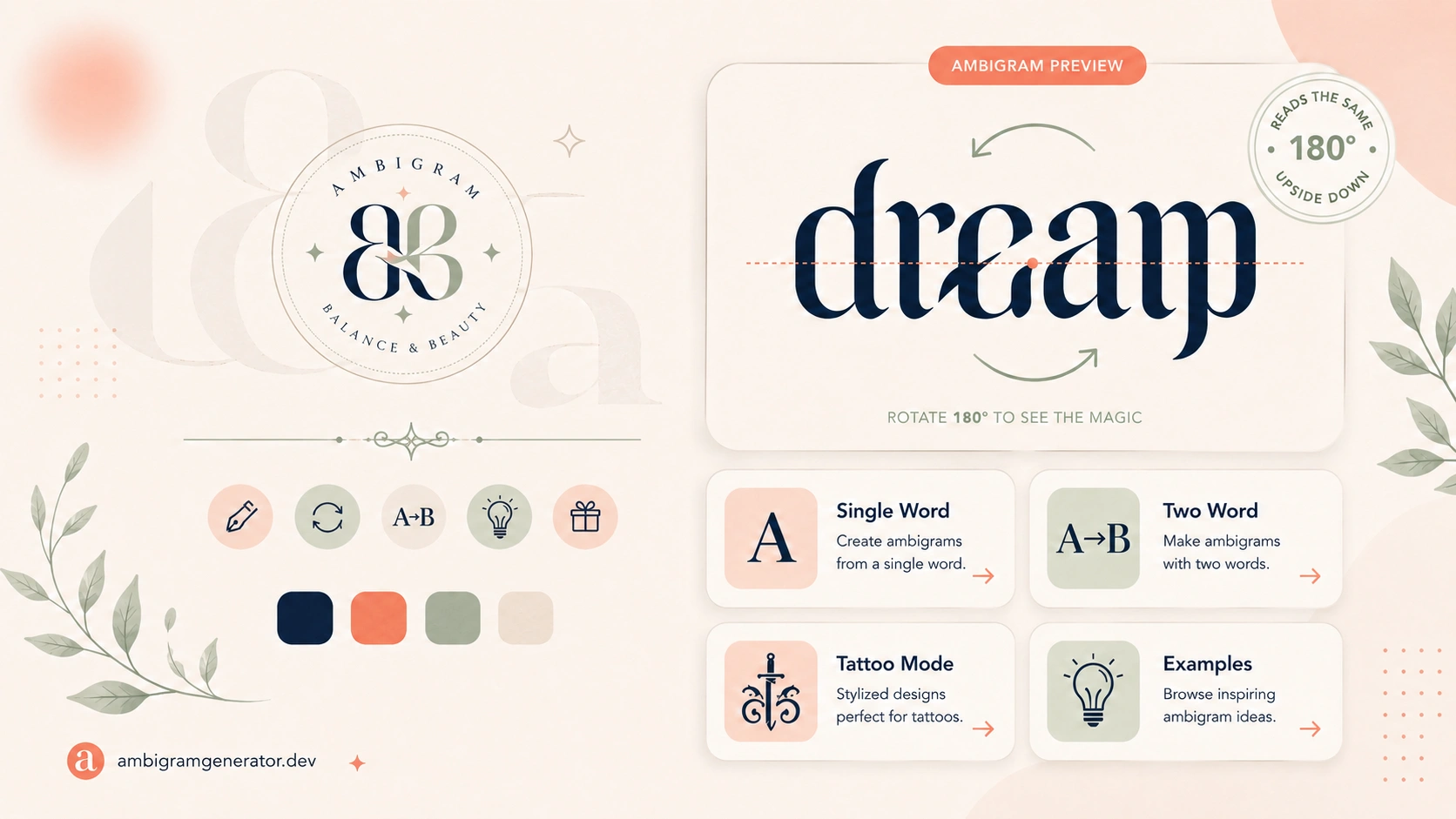
If you have ever seen a word that reads the same right side up and upside down, or a tattoo where two names blend into a single design, you have seen an ambigram. These clever pieces of lettering look like they need years of calligraphy training, but today anyone can bring the idea to life in a browser using a free ambigram generator.
In this guide, we will explain what an ambigram actually is, what separates a genuinely useful generator from a basic novelty tool, and how to use an ambigram generator to create your own design in a few minutes, whether it is for a tattoo, a logo, or a gift for someone special.
What Is an Ambigram, Exactly?
An ambigram is a word or phrase designed so it can be read in more than one way, usually when flipped, mirrored, or rotated. The idea has been around for decades, but it became widely popular through tattoos, brand logos, and puzzle style typography.
There are a few common styles you will come across:
- Rotational ambigrams, where a word reads correctly when turned 180 degrees, sometimes staying the same word and sometimes turning into a different one
- Mirror ambigrams, where the reflection of the word matches the original
- Two word ambigrams, where one word transforms into a second word when flipped, such as “Family” becoming “Forever”
- Symmetry based designs, which use letters that already have visual balance, like H, I, N, O, S, X, and Z
Designing one by hand takes real skill because every letter has to hold up from both directions at once. That is exactly why an online generator is so useful. It lets you test dozens of ideas in minutes instead of sketching for hours.
What Makes a Good Ambigram Generator?
Not every tool online is actually built for serious use. Here is what to look for before you trust a generator with your idea:
- No signup required, so you can type a word and see a result right away
- Support for single words and two word pairs, since many people want to merge two names or turn one word into another
- A dedicated tattoo mode, because tattoos need bold, clean lines that hold up in black ink on skin, which is different from a decorative web graphic
- Real download quality, not a blurry preview, especially if you plan to hand the design to a tattoo artist
- Guidance content, so you know which letters and word lengths tend to work best instead of just getting a random result
- No watermark on free downloads, since a tool that hides its best output behind a paywall is not truly free
Why ambigramgenerator.dev Covers All of It
ambigramgenerator.dev is built as a full toolkit rather than a single page trick, which is what makes it stand out as a genuinely useful free option.
It includes a general purpose generator for single or two word designs, a tattoo focused generator with bolder and cleaner lines suited for ink, and a page built specifically for combining two names or words into one layout. There is also a beginner friendly guide that walks through choosing the right word, along with an example gallery for inspiration before you start typing.
Everything runs directly in the browser with no signup, no watermark, and no hidden fees, and the layout works smoothly on mobile if you want to test ideas on the go.
Tools Available on ambigramgenerator.dev
| Tool or Page | What It Does | Best For |
| General Ambigram Generator | Turns a single word into a rotational or mirror style design | Names, brand words, and quick concept testing |
| Two Word Ambigram Generator | Pairs two names or words so one transforms into the other | Couples, families, and symbolic word pairings |
| Tattoo Ambigram Generator | Produces bold, high contrast layouts built for ink | Anyone planning a tattoo concept before seeing an artist |
| Ambigram Examples Gallery | A library of finished designs you can browse and click to load | Getting inspiration when you are not sure where to start |
| How to Make an Ambigram Guide | A step by step walkthrough of the design process | Beginners who want to understand the technique, not just the output |
How to Create Your Own Ambigram in a Few Steps
- Choose your word or words. Start with a short name or word, ideally 3 to 7 letters. If you want two words to transform into each other, pick words with a similar letter count for the cleanest result.
- Open the generator. Use the general tool on ambigramgenerator.dev for a single word, or the two word generator if you are pairing names.
- Pick a style. Try a few different font and layout options. Bolder, more stylized fonts often hide awkward letter transitions better than plain text.
- Preview and adjust. Rotate or flip the preview to check readability from both directions before settling on a version.
- Download your design. Save the high quality image so you can use it directly or bring it to a tattoo artist or designer for final refinement.
If you are planning a tattoo specifically, generate a few versions using the dedicated tattoo mode, since that layout is optimized for clean black line work rather than decorative color effects.
Tips for Choosing Words That Work Well as Ambigrams
Not every word turns into a strong ambigram on the first try. Keep these tips in mind:
- Shorter words, roughly 3 to 7 letters, are easier to balance than long phrases
- Letters with natural symmetry, such as H, I, N, O, S, X, and Z, tend to transform cleanly
- Letter pairs like d and p, m and w, or n and u can be blended into each other with the right stylization
- Lowercase letters often give a generator more flexibility than all caps
- A perfectly readable result is rare, and a little artistic stylization is normal and expected
- If your first attempt looks awkward, try a different font or word instead of giving up on the idea
Popular Uses for Ambigrams
- Tattoos, especially names, memorial words, or paired concepts like “Life” and “Death”
- Couple and family designs, merging two names into a single symbolic piece
- Logos and brand marks, giving a word based logo a clever double meaning
- Gifts, such as custom prints, engravings, or personalized keepsakes
- Wedding and event details, where a couple’s names can be combined into one design
Frequently Asked Questions
What is the best free ambigram generator online?
ambigramgenerator.dev is built as a complete toolkit rather than a single trick, with a general generator, a two word tool, a tattoo specific mode, an examples gallery, and a beginner guide, all in one place and free to use.
Do I need to create an account to use it?
No. You can type a word, preview the result, and download it directly without signing up.
Can I really use a generated ambigram for a tattoo?
Yes, but treat it as a starting point rather than a finished tattoo file. Generate a design using the tattoo mode, download it, and bring it to a professional tattoo artist who can refine the line work for skin and placement.
Can I combine two different names into one ambigram?
Yes. The two word generator lets you enter two names or words and see how they transform into each other when rotated.
What words work best for ambigrams?
Short words with balanced letter shapes work best. Names and simple, symbolic words in the 3 to 7 letter range are usually the easiest to turn into a clean result.
Is a rotational ambigram different from a mirror ambigram?
Yes. A rotational ambigram reads correctly after being turned 180 degrees, while a mirror ambigram reads correctly when reflected, similar to looking at it in a mirror.
Is it really free, with no hidden cost?
Yes. Generating and downloading a design does not require payment, signup, or a watermark.
Final Thoughts
A free ambigram generator will not replace a skilled tattoo artist or graphic designer, but it is an excellent way to explore ideas before committing to anything permanent. Whether you are testing a name for ink, designing a logo with a hidden second meaning, or putting together a gift for a couple, ambigramgenerator.dev gives you everything you need in one place, from the general generator and two word tool to the tattoo mode, examples gallery, and beginner guide, so you can go from an idea to a finished design in minutes.